Complete documentation
Every semantic model and report described in a navigable HTML output.




Premiering at FabCon Europe 2026, Barcelona
Early access Power BI documentation & audit tool
Turn every semantic model and report into clear documentation and a prioritized to-do list, without the manual effort.
Reads your model structure, never your data rows.
From unknown to actionable
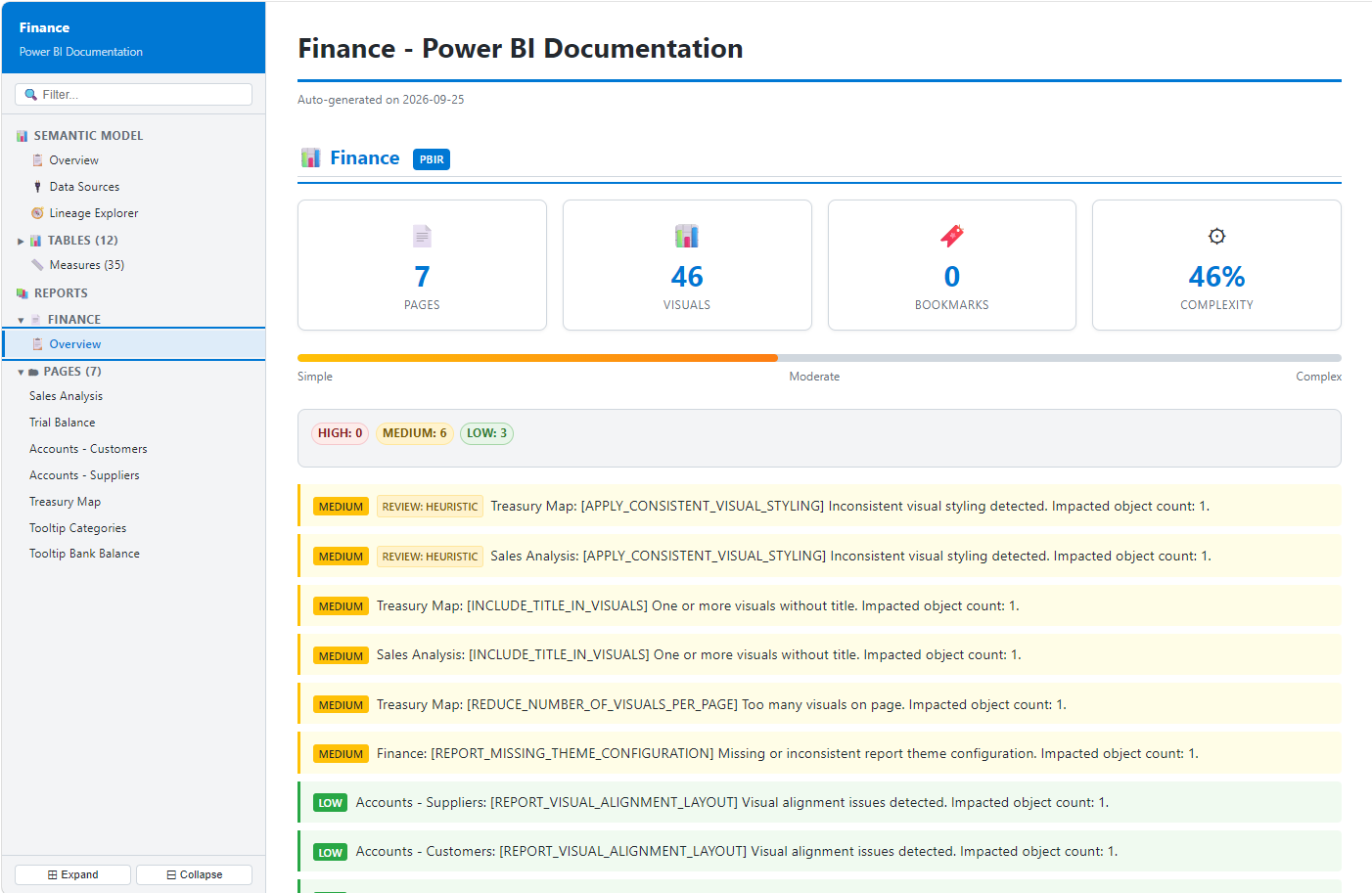
Every semantic model and every report: described, reviewed and prioritized. Without the manual effort.
Every semantic model and report described in a navigable HTML output.
Findings grouped by severity, so your team knows what to address first.
Models, measures, pages, visuals and filters reviewed in the same pass.
Make onboarding, maintenance and governance less dependent on tribal knowledge.
See what BI Assessment delivers
Move from the whole model to a single measure, report page or filter without losing context.
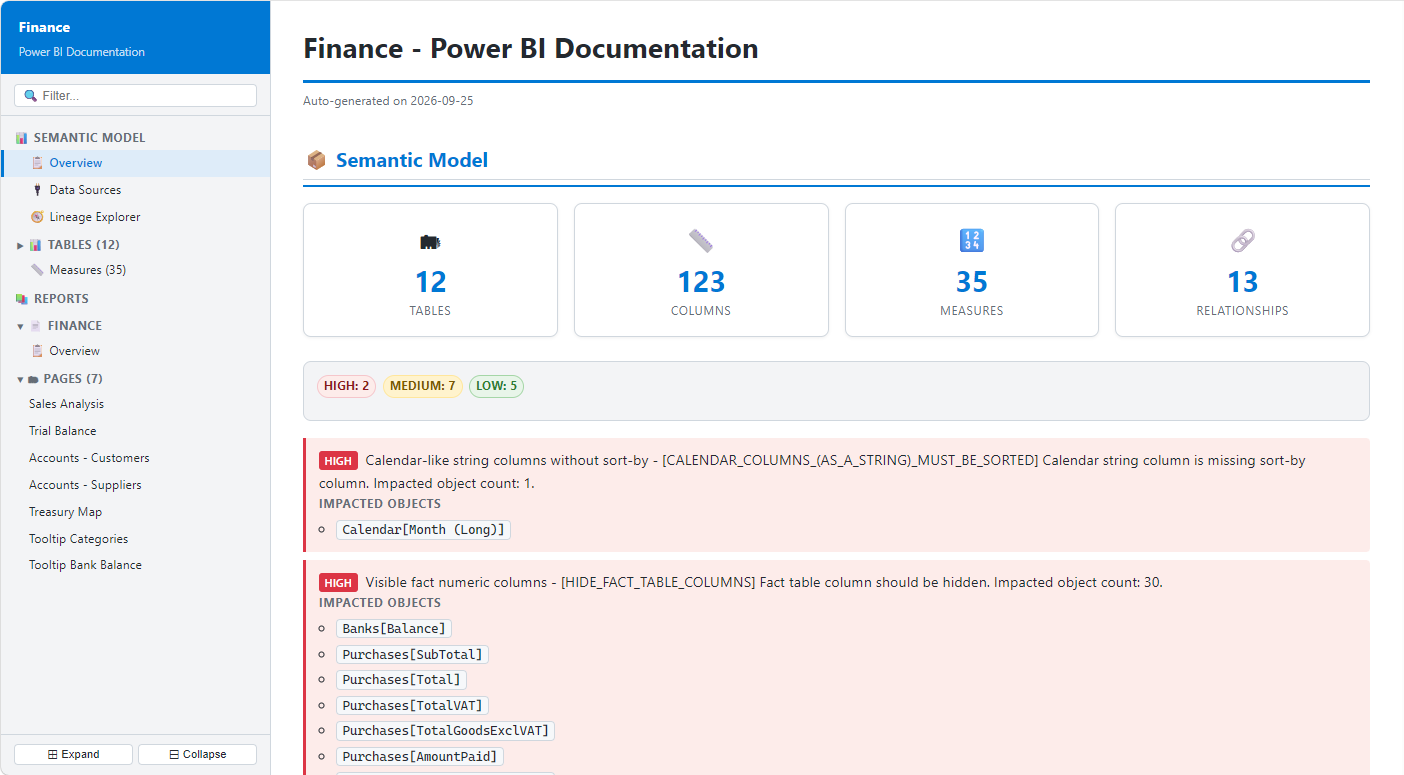
Semantic model documentation
Every table, column and relationship documented and checked against best practice in the same pass.
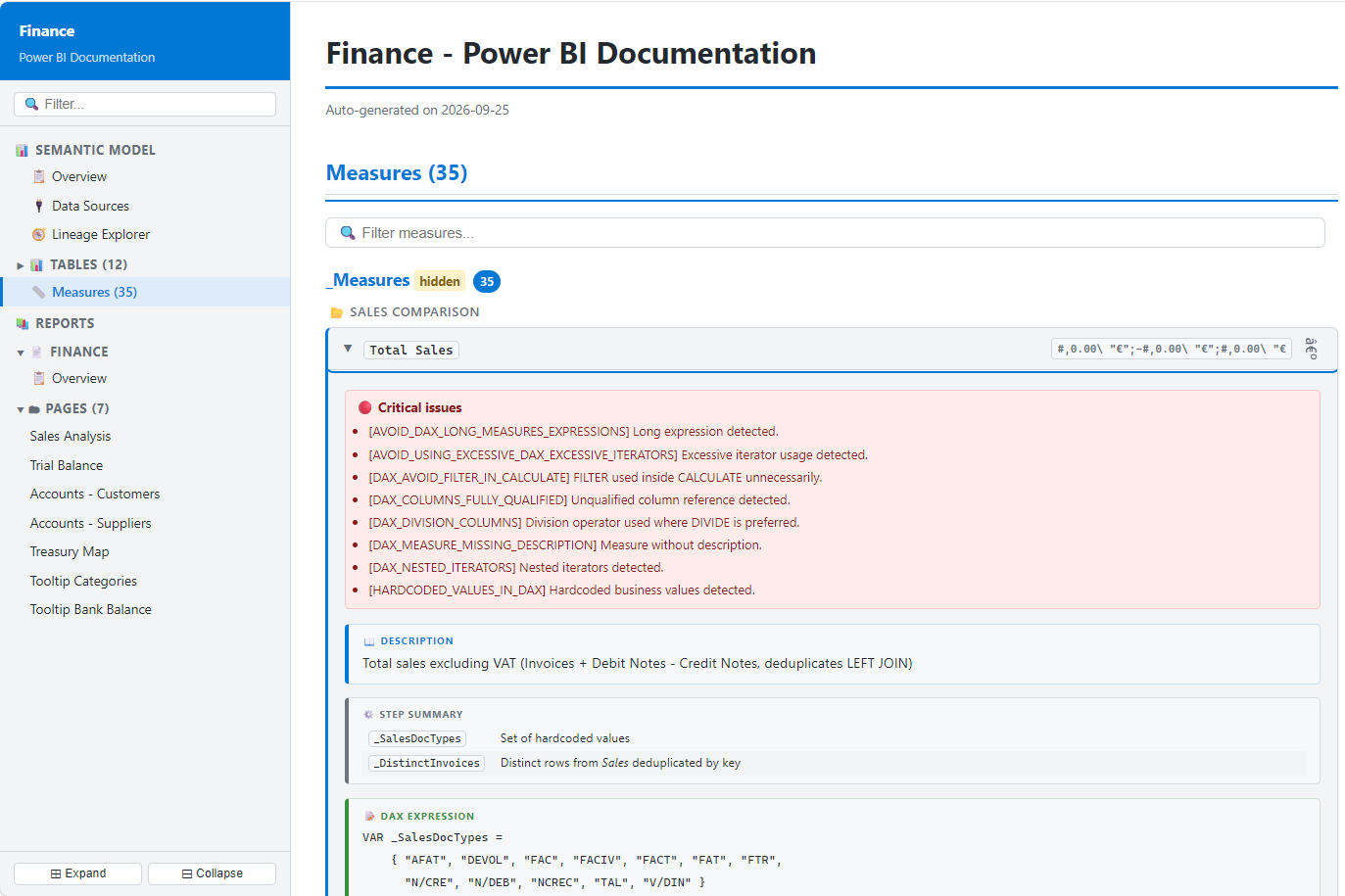
DAX measure documentation
Get a plain-language description, step-by-step logic and every best-practice violation for each measure.
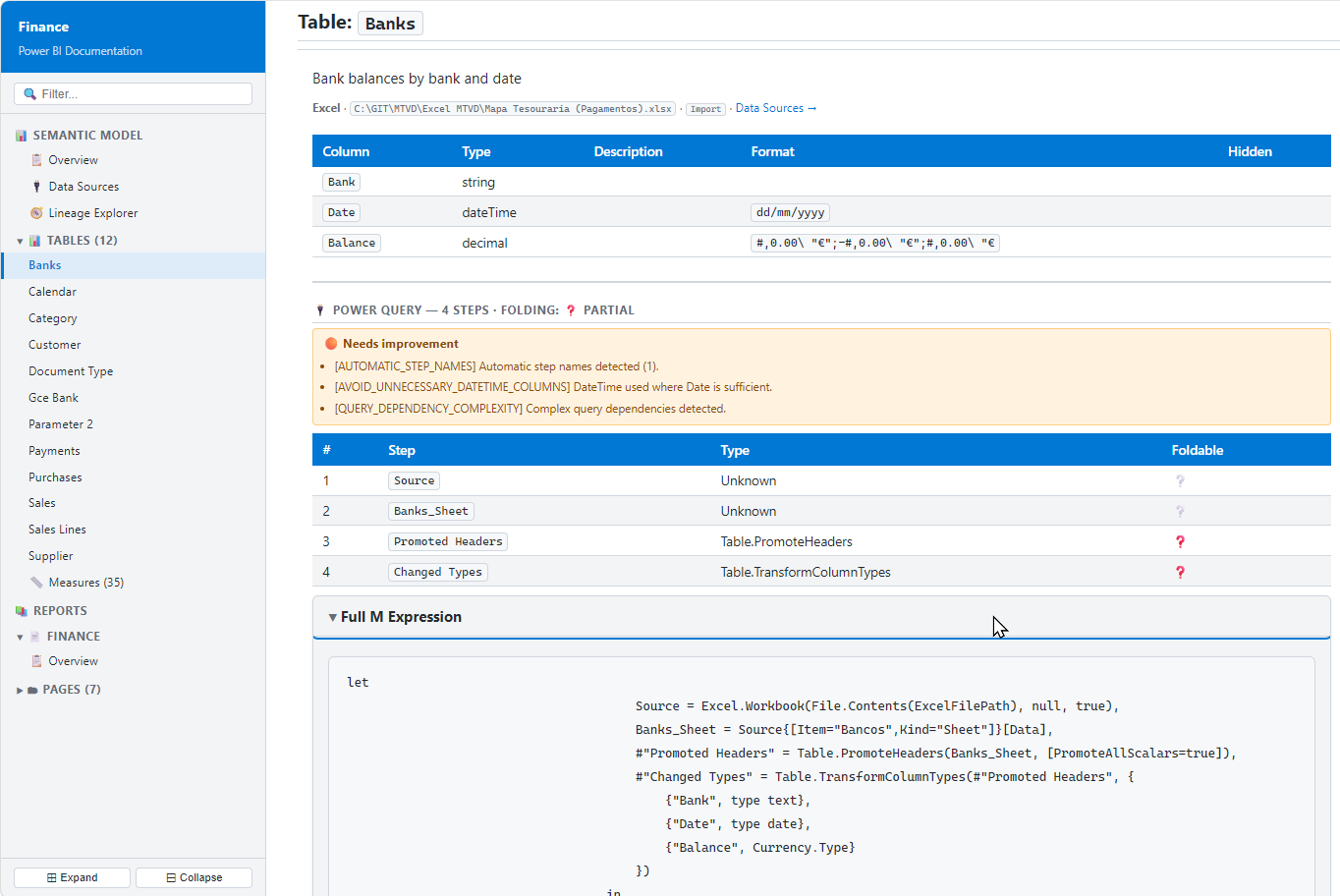
Power Query documentation
Step-by-step M documentation with folding status, plus the query issues worth fixing.
Report best practice analyzer
The report layer is reviewed, not just listed, with complexity, visual counts and prioritized findings across pages.
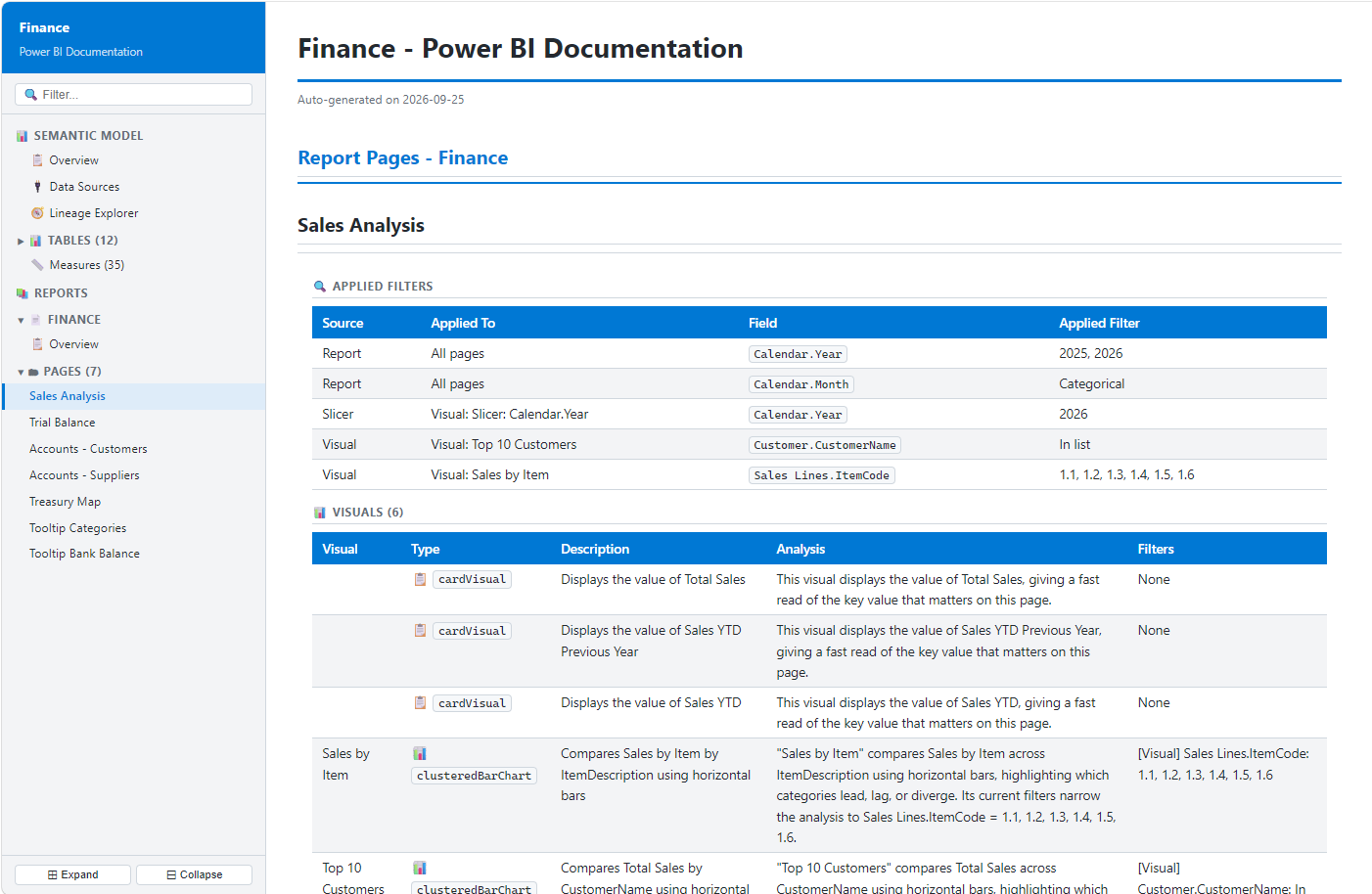
Filter documentation
Trace report, page, slicer and visual-level filters down to the field, alongside every visual and its analysis.
Key features
Automatically documents all data sources, connectors, storage modes, parameters, and metadata.
Visualizes your entire semantic model with an interactive relationship and dependency map.
Provides detailed documentation for tables, columns, data types, formats, and hidden objects.
Translates complex DAX measures into clear business language and explains the calculation logic step by step.
Preserves the original model organization, including display folders and measure groupings.
Analyzes filters at every level to help understand report behavior and user interactions.
Documents every visual, explaining what it displays, how it works, and which filters affect it.
Calculates report complexity and highlights areas that may impact performance or maintainability.
Runs hundreds of best-practice checks across Semantic Models, Power Query, DAX, and Report Design.
Provides complete impact analysis with the exact objects affected by each issue and recommendation.
Designed for trust
BI Assessment reads structure, relationships, DAX and report definitions.
No data rows are read, copied or stored.
Connect to published workspaces and assess live semantic models and reports.
Review Power BI Project files from your repository before they are published.
Seamlessly integrates with your favorite IDE or AI assistant through the MCP protocol.
FAQ
BI Assessment reads the model and generates navigable HTML documentation of every table, column, relationship and measure, including plain-language descriptions of DAX, with no manual writing.
Yes. Besides the semantic model, BI Assessment audits the report layer: pages, visuals, bookmarks, filters and complexity, with findings prioritized by severity.
No. It reads structure, relationships, DAX and report definitions. No data rows are read, copied or stored.
Yes. You can assess published models and reports in Microsoft Fabric and the Power BI Service, or Power BI Project (PBIP/TMDL) files from your repository.
Up-to-date documentation and a consistent best-practice audit make ownership, onboarding, reviews and maintenance less dependent on tribal knowledge.
BI Assessment premieres at FabCon Europe 2026 in Barcelona. Join the early-access list to be among the first teams to use it.
Pre-launch access
Join the early-access list and be among the first teams to turn Power BI documentation into an actionable review.